Free to join, then PROXERA+ is £19.99 a month, with Making Tax Digital included.
Coming soon on theApp StoreComing soon onGoogle Play
Does it apply to me?
It depends on your qualifying income: your total gross income from property and self-employment, before expenses. HMRC looks at your tax return from two years before.
6 April 2026Qualifying income over £50,000 in 2024 to 2025
6 April 2027Qualifying income over £30,000 in 2025 to 2026
6 April 2028Qualifying income over £20,000 in 2026 to 2027
Check in two taps
Answer both questions and you will see when Making Tax Digital starts for you.
Properties held in a limited company are not covered by Making Tax Digital for Income Tax, because companies pay Corporation Tax instead. Some people can apply to be exempt. Read the full rules on GOV.UK.
Making Tax Digital software for landlords
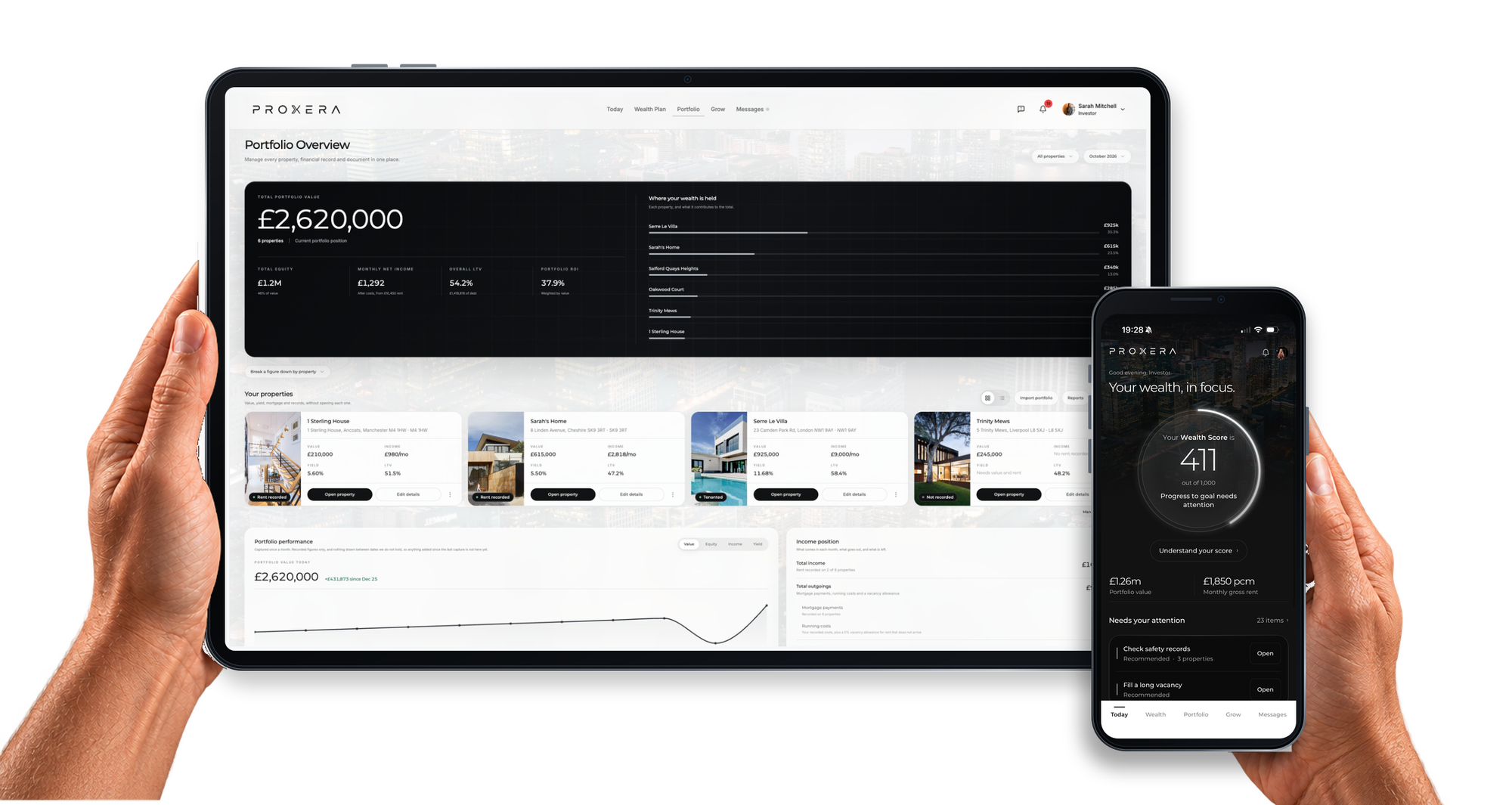
PROXERA is HMRC-recognised software for Making Tax Digital for Income Tax. Your tax records come from the same data you already use to run your portfolio.
Brings in your income and expenses
Connect your bank through Open Banking and your rent and costs arrive automatically. The connection is read only.
Categorises every transaction
Each one is matched to a property and a category, ready for your quarterly update. You can check or change any of them.
Shows your HMRC deadlines
See which quarterly updates are due, which are done, and when the next one is needed.
Sends quarterly updates to HMRC
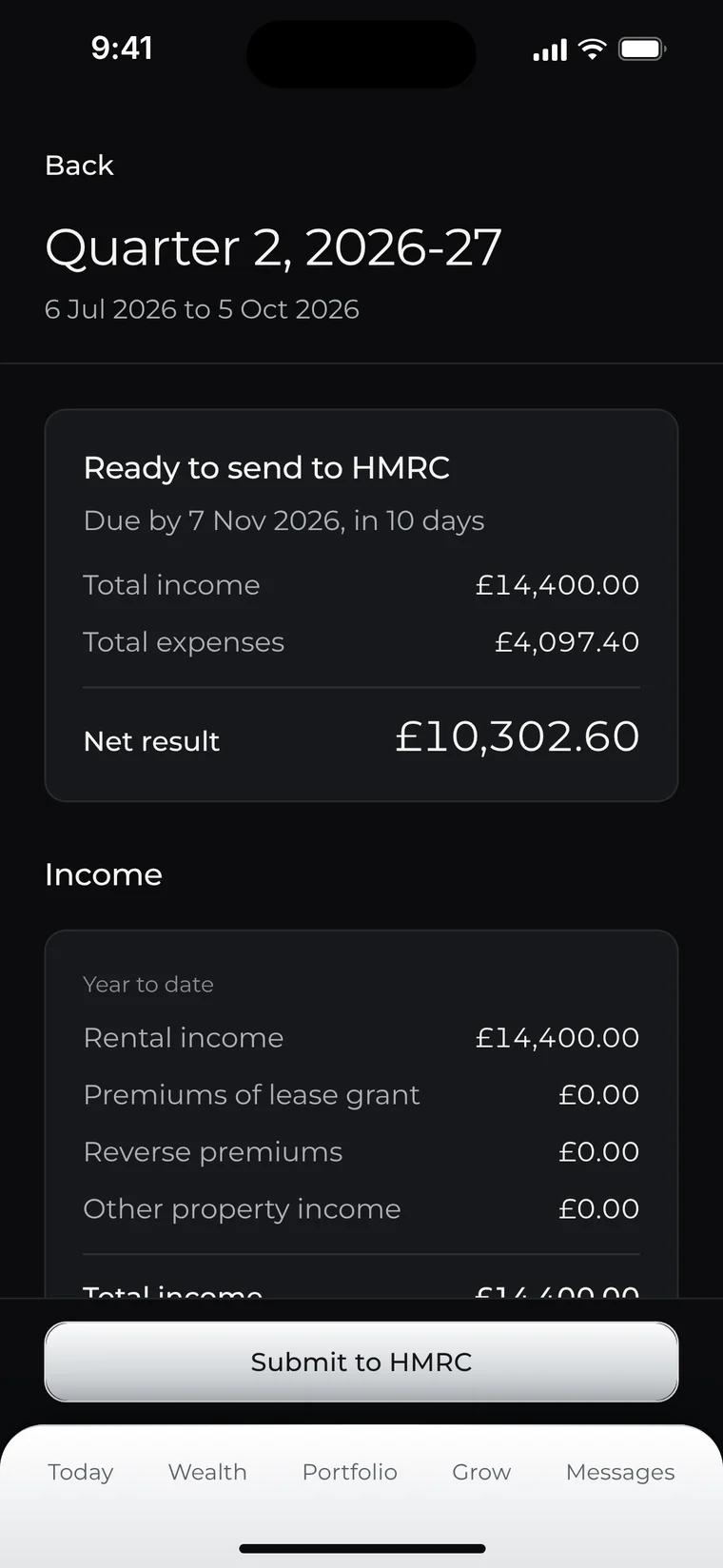
Review your totals for the quarter and send your update directly from PROXERA. No spreadsheets, no bridging software.
Keeps it all in one place
Your tax records sit alongside your portfolio, mortgages and documents.
How it works
Four steps, shown here in the PROXERA iPhone app, coming soon to the App Store. Everything also works on the web today.
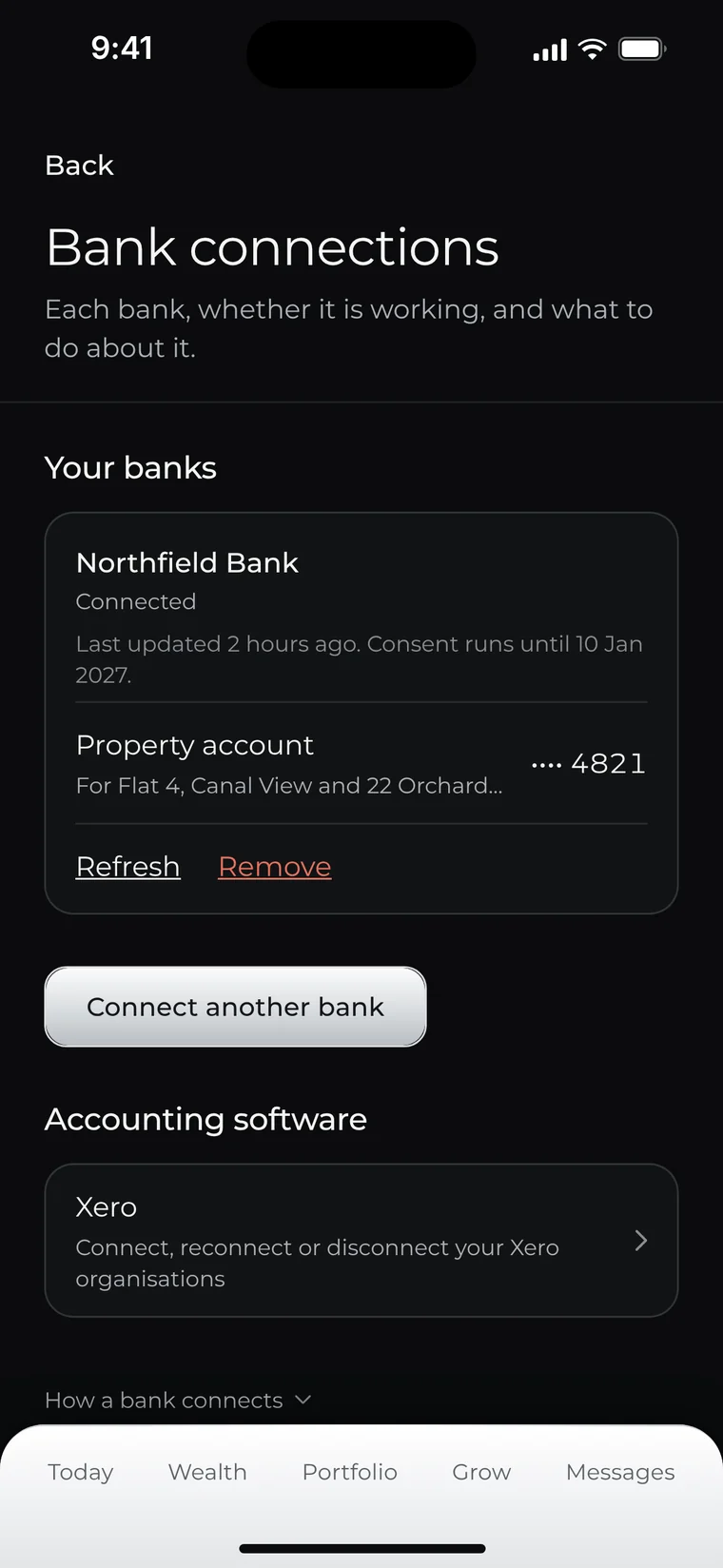
Step 1
Connect your bank
Link your accounts through Open Banking, run by an FCA-authorised provider. PROXERA can read transactions but never move money.
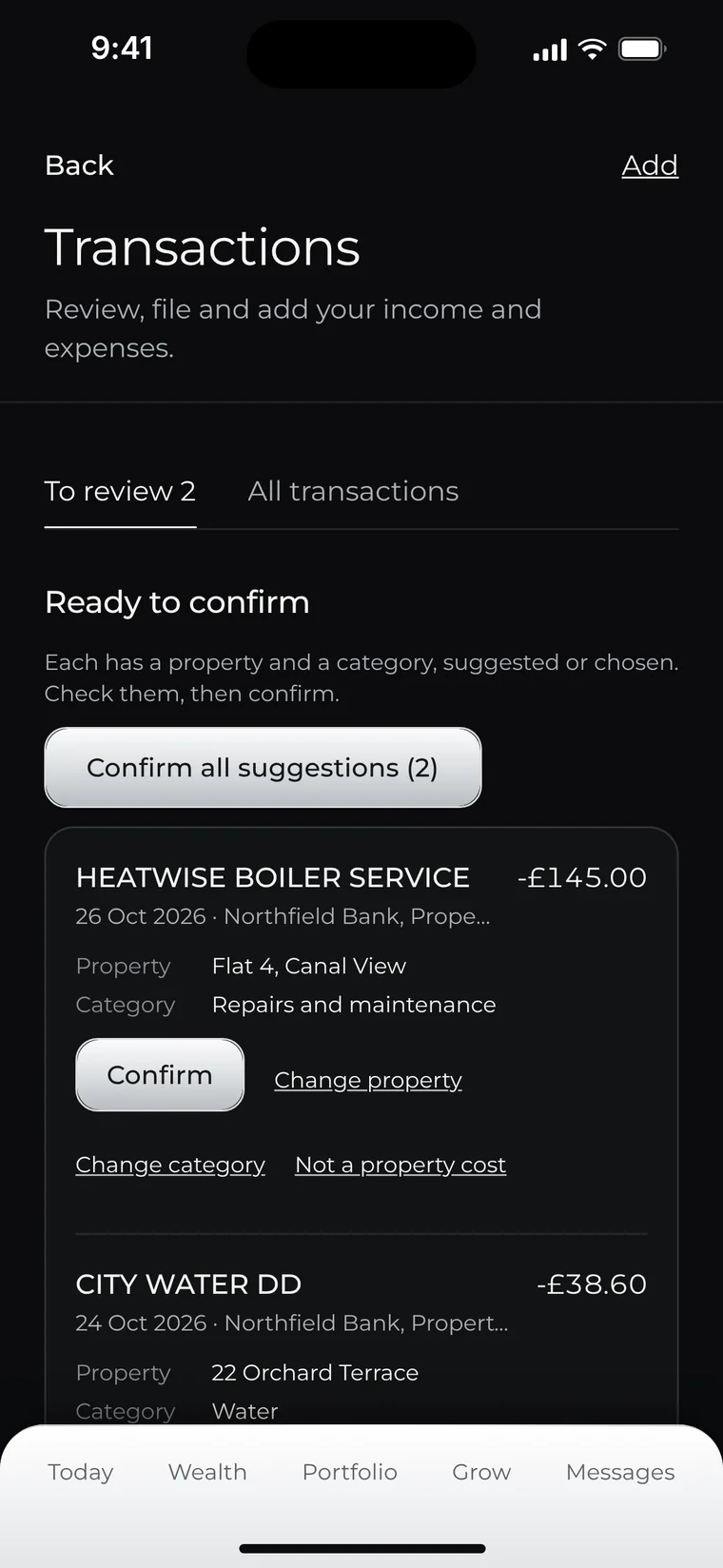
Step 2
Check your transactions
Confirm the property and category for each income and expense, and correct anything that needs it.
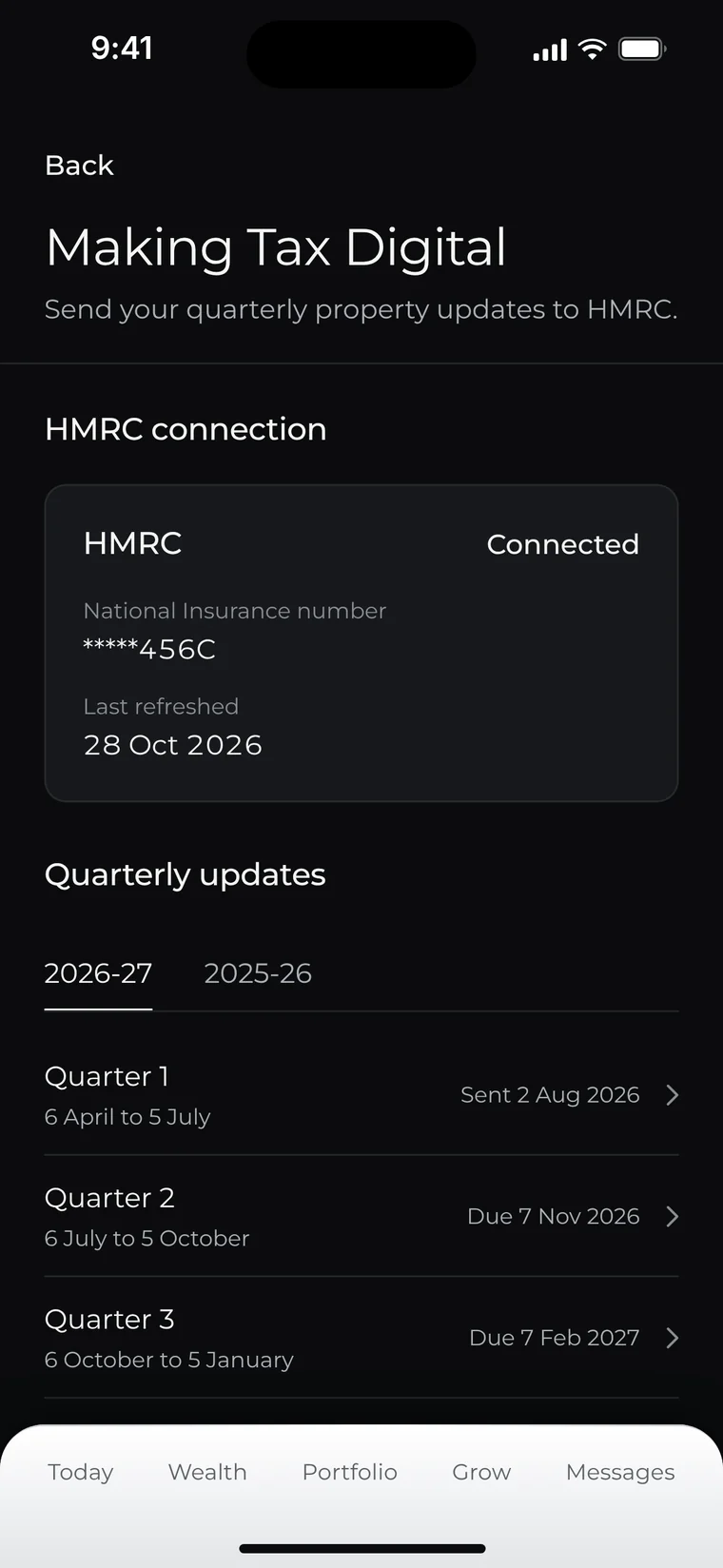
Step 3
Connect to HMRC
Sign in on HMRC’s own page and give PROXERA permission to send updates for you. You can withdraw it at any time.
Step 4
Submit your quarterly update
Review the totals for the quarter, then send your update to HMRC.
Working with your accountant
Your accountant still has a role. PROXERA keeps your records digital, categorised and current through the year, so they are ready for your accountant, who can complete your end-of-year tax return.
You send the quarterly updates. They handle the year end.
What’s covered
Exactly what PROXERA does today, so you know before you sign up.
Covered
UK property income
Digital records of rental income and expenses
Quarterly updates sent to HMRC
The PROXERA web portal, with the iPhone app coming soon
Not covered yet
Self-employment income
Foreign property income
The end-of-year tax return
For these, you will need your accountant or other software.
Simple pricing
PROXERA is free to join. Making Tax Digital is included in PROXERA+, with accounting built in.
Free
£0
Everything you need to understand your property wealth.
Unlimited properties
Portfolio overview: value, equity, rent and growth
Automated valuations and local market data
Wealth Score and your personal Wealth Plan
Scenario modelling: buy or wait, hold or sell, future income and retirement
Accounting and Making Tax Digital: connect your bank, automatic matching of income and costs, profit and loss by property, tax-ready exports, Xero and accountant access
Send your quarterly updates to HMRC with HMRC-recognised software
Quarterly updates are due by 7 August, 7 November, 7 February and 7 May. The first end-of-year return under Making Tax Digital is due by 31 January 2028.
Tax year 2026 to 2027
Period
Covers
Due by
Quarter 1
6 April to 5 July 2026
7 August 2026
Quarter 2
6 July to 5 October 2026
7 November 2026
Quarter 3
6 October 2026 to 5 January 2027
7 February 2027
Quarter 4
6 January to 5 April 2027
7 May 2027
End of year
Your end-of-year return, completed by your accountant or other software
31 January 2028
Questions
Do I need this?
If you are a landlord with qualifying income over £50,000, you have needed to use Making Tax Digital for Income Tax since 6 April 2026. The threshold falls to £30,000 from April 2027 and £20,000 from April 2028. Qualifying income is your gross income from property and self-employment, before expenses. Use the checker on this page, or HMRC’s guidance on GOV.UK.
Can my accountant still help?
Yes. PROXERA keeps your records digital and categorised through the year, so they are ready for your accountant, who can complete your end-of-year tax return. You send the quarterly updates from PROXERA, and your accountant handles the year end.
What if I have more than one property?
All your UK rental properties make up one UK property business for Making Tax Digital, so one quarterly update covers them all. PROXERA tracks each property on its own and adds them together for your update. The price is the same however many properties you have.
Is my data safe?
Yes. Your data is encrypted in transit and at rest, bank connections are read only and run through an FCA-authorised Open Banking provider, we are registered with the ICO, and we never sell your data. You connect PROXERA to HMRC through HMRC’s own sign-in page.
Is there a Making Tax Digital app?
PROXERA is HMRC-recognised Making Tax Digital software. The PROXERA iPhone app is coming soon to the App Store, and Google Play will follow. Until then, everything, including sending your quarterly updates to HMRC, works in the PROXERA web portal.
Which devices does it work on?
Making Tax Digital works in the PROXERA web portal, in any modern browser. The iPhone app is coming soon to the App Store.
How much does it cost?
PROXERA is free to join. Making Tax Digital is included in PROXERA+, which is £19.99 a month with accounting built in. There are no per-property fees.
Your next quarterly update, sorted.
Join PROXERA free, then upgrade to PROXERA+ for £19.99 a month when you are ready to send your quarterly updates.
PROXERA, Level 39, One Canada Square, Canary Wharf, London E14 5AB
Information, not advice. This page is general information about Making Tax Digital for Income Tax and how PROXERA works. For advice on your own tax position, speak to a qualified accountant or tax adviser.
 Read what our customers say on Trustpilot
